Last updated November 25, 2026
 Wrought iron
 Wood & steel frame
 Farm & ranch
 Sliding driveway gates
 LiftMaster operators
Free on-site gate assessment - hinges, posts, and your LiftMaster or Nice gate operator checked before anything is quoted
The assessment is free and the quote is the invoice.
Get your free estimateGate Repair Emergency Preparedness Guide for Knoxville Homes
Most people think an emergency gate repair in Knoxville starts with a phone call to a technician. It usually doesn’t. It starts at the control box, on the day the gate first fails, when no one in the house knows where the manual release is or which breaker feeds the operator. We work on gate systems every week, and the pattern is remarkably consistent: the homeowners who get through a storm outage without panicking almost always had a short, boring checklist prepared months earlier. The ones who don’t end up calling us for what turns out to be a thirty-second release operation. This guide gives you that checklist. We’ll cover brand-specific manual release steps for the operators common in Knoxville, how to hold a gate safely in an open or closed position, power backup for storm outages, the exact details to document about your system now, and what to inspect after a surge, freeze, or impact. Read it once, act on it this week, and the next power flicker on your street becomes a minor inconvenience instead of a scramble.
Quick Answer
Prepare for a gate failure before it happens by documenting your operator’s brand and model, learning the manual release procedure for your specific system, keeping a written emergency contact in your phone, and installing battery backup if your operator supports it. During an outage or failure, release the gate to manual operation and secure it safely open or closed until a gate-only technician can inspect the operator, wiring, and hardware. Knoxville Gate Repair offers free estimates at (844) 625-7626.
Styles & brands we work with
- Wrought iron
- Wood & steel frame
- Farm & ranch
- Sliding driveway gates
- LiftMaster operators
Table of Contents
- Why Gate Failures in Knoxville Rarely Happen at a Convenient Time
- Brand-Specific Manual Release Procedures for the Operators We See Most
- How to Hold a Gate Safely in a Fail-Open or Fail-Closed Position
- Power Backup Options for Storm Outages
- What to Document About Your Gate System Right Now
- Post-Emergency Inspection Checklist
- Common Mistakes to Avoid
- When to Call a Professional
Why Gate Failures in Knoxville Rarely Happen at a Convenient Time
Gates fail during the worst weather, at the worst hour, and almost always when you’re trying to leave. That’s not bad luck. It’s how these systems work. An electric gate operator is a low-voltage control system tied to a high-current motor, and both halves are sensitive to the same things Knoxville throws at them: summer thunderstorms that knock out power or send a surge down the line, winter ice that freezes a slide track solid, spring storms that drop limbs onto gate hardware, and the ordinary wear that builds up on hinges, rollers, chains, and gears over years of use.
When power drops, the operator stops. When a surge hits, the control board may take damage that doesn’t show up until the next cycle. When ice loads the gate leaf, the motor may force past its limit and strip a gear or trip into a fault state. None of these failures announce themselves. The gate works fine one day and refuses to move the next.
What makes this worse for Knoxville homes is that most properties with a gate have exactly one. There’s no second entrance, no backup driveway, no alternate path to the street. If the gate won’t open, you either climb it or you don’t leave. If it won’t close, your property is standing open until someone can get to it. That’s a preparation problem, not a repair problem. The tools to handle both situations are already built into your gate. You just need to know where they are.
In our experience, the homeowners who handle gate failures calmly have three things in common: they know their operator brand, they know where the release is, and they know what to do next. Everything in this guide builds toward giving you those three things before Knoxville’s next storm rolls through.
Brand-Specific Manual Release Procedures for the Operators We See Most
Every electric gate operator has a manual release. It’s a mechanical bypass that lets you move the gate by hand when the motor won’t run, whether because of a power outage, a fault, or an internal failure. The release itself is different from brand to brand, and that’s where most homeowners get stuck. We work on these systems every week, and we’ve walked customers through releases on every major brand in the Knoxville area. Here’s how the common ones work.
A safety note before you do anything: only work the release with the gate stopped and the power switched off at the breaker, if you can reach it safely. Never put your hands, arms, or body between a gate leaf and its post, frame, or the ground. A heavy gate that starts rolling or swinging on a manual release can crush a hand or worse. If your gate is on a slope, or if the release mechanism won’t move freely, stop and call a professional. This is not a job to force.
Ghost Controls and Mighty Mule (Residential Swing and Slide)
- Turn off power to the operator at the control box or the breaker that feeds it.
- Locate the manual release key or lever on the operator arm or the top of the slide operator housing.
- On Ghost Controls swing arms, insert the release key and turn it to disengage the arm from the gate. On Mighty Mule arms, pull the release pin or turn the release key depending on the model.
- Manually swing the gate to the position you want. The gate should move with light hand pressure. If it fights you, stop; something mechanical is binding.
- To re-engage, move the gate back to its fully closed or fully open position and turn the release the other way until it clicks or seats.
These residential-grade systems are the most common in Knoxville driveways, and the release procedure is usually simple once you’ve done it once. Do it once with the power off, on a calm day, so you’re not learning it in the rain.
DoorKing and Elite (Commercial and High-Cycle Systems)
- Switch the operator’s power disconnect to off. On commercial systems, the disconnect is usually a lockable switch near the operator, not the building breaker.
- Open the operator cover using the provided key. Do not force the cover; if the lock won’t turn, the operator may need service.
- Locate the manual release handle or lever inside the housing. On slide operators, this is typically a release lever that disengages the drive gear. On swing operators, it may be a clutch lever or a release key on the arm.
- Engage the release and move the gate by hand. On slide gates, watch the track for debris that could jam the gate mid-travel.
- Re-engage the release before restoring power, and cycle the gate once under power to confirm the operator has re-learned its limits.
DoorKing systems on HOA and commercial properties in Knoxville often have access control tied in, so releasing the gate manually won’t reset the keypad, card reader, or intercom. Expect to use the gate by hand until the operator is back online. Some high-cycle commercial operators are also heavier than a residential gate leaf and require proper footing and track alignment to release safely. If the gate is large or the release won’t engage cleanly, call us.
If you don’t know your operator brand, don’t guess at the release. Find the model plate on the operator housing or the control box and call us with that information. We’ll walk you through the release for that specific unit, and if the gate needs more than a release, we’ll book a gate motor & opener service visit to diagnose it properly.
How to Hold a Gate Safely in a Fail-Open or Fail-Closed Position
Once your gate is in manual mode, you need to decide where to leave it, and how to keep it there without damaging the operator or creating a hazard. A gate that fails open is a security problem: your property is standing open to the street. A gate that fails closed is an access problem: you’re trapped on the property. Both need a temporary solution that won’t make things worse.
There are a few safe ways to hold a gate in position while you wait for a technician.
- Use the operator’s own limit position. Most operators have a mechanical or electronic limit that, once the release is re-engaged, holds the gate at full open or full closed. Move the gate to that position by hand, re-engage the release, and leave it. That’s the cleanest solution because it doesn’t require any additional hardware.
- Chock a slide gate, don’t tie it. A slide gate sitting on a level track can be held by a solid chock at the base of the gate leaf, on the side that would resist movement. Use a heavy rubber wheel chock or a piece of treated timber. Never tie a gate to a fence post with rope or chain; a gust of wind or a heavy gate can snap the tie or pull the post over.
- Brace a swing gate against its stop. A swing gate that’s released can be held at the closed or open position by a post or a heavy object placed against the gate’s stop point, provided the gate is level and not on a slope. If the gate has any slope in its travel, do not brace it by hand; let it swing to its natural resting point and secure that position.
- Never leave a gate balanced mid-travel. A gate parked between open and closed is unstable and can swing or roll when you’re not watching. It’s also a trap for anyone walking through.
Entrapment is the real risk here. If there are children, pets, or delivery drivers using the driveway, a gate that’s partly open and partly braced is a jam waiting to happen. When in doubt, leave the gate fully closed if you’re home and fully open if you’re not, and post a warning on the control box so nobody tries to cycle it manually. If your gate is on a steep Knoxville driveway, that caution matters even more; a released gate on a slope can move faster than you’d expect.
If you’ve released your gate and it won’t stay where you put it, or if the manual release feels heavy or won’t engage, that’s a hardware problem, not a user problem. Call us before you force anything. Our gate repair technicians have seen the results of forcing a stuck release, and it’s almost always more expensive than the original issue.
Power Backup Options for Storm Outages
Knoxville gets more than its share of thunderstorms, and each one brings power flickers and outages. For a gate, that means the operator stops and stays stopped until the grid comes back. The fix is battery backup, and the right option depends on your operator, your gate, and how much cycle life you need during an outage.
There are three basic approaches.
- Operator-integrated battery backup. Some operators, particularly residential models from brands like Ghost Controls and Mighty Mule, are designed to accept a backup battery directly. The battery keeps the operator running for a set number of cycles after power loss, and the operator recharges it when power returns. It’s the cleanest solution for a driveway gate. It’s not universal, and the cycle count depends on the model and the gate’s weight and travel distance.
- Standby UPS for the control system. A properly sized uninterruptible power supply can keep the control board and access control electronics alive during a short outage, even if the motor itself isn’t powered. That’s useful if your concern is keeping the intercom, keypad, or card reader functioning. It won’t open the gate by itself, but it keeps the electronics from rebooting into a fault state.
- Manual operation as the last line. No backup system lasts forever. Battery backup expires, UPS batteries drain, and some failures are mechanical rather than electrical. Every gate owner should be able to fall back to manual release regardless of what backup is installed.
Here’s the thing we say to every customer: don’t buy a backup system off a shelf without knowing your operator. A battery that’s the wrong voltage or chemistry for the control board can damage the operator itself. If you want backup for a DoorKing or Elite commercial system in Knoxville, the sizing matters even more because the gates are heavier and cycle more often. Talk to a technician about what your operator can actually accept. During a real outage, our team can also help you decide whether to release the gate or leave it closed until power returns, and we’re available by phone when you need us.
What to Document About Your Gate System Right Now
The single most useful thing you can do for your gate’s emergency readiness has nothing to do with tools. It’s a document. When a technician arrives at a gate failure, the first five minutes are usually spent figuring out what the gate is. If you can hand over or read off the following details, you skip that step entirely and we can get to the diagnosis faster.
Put this in a note on your phone, a note inside your control box, or both.
- Operator brand and model. The model plate is on the operator housing, the arm, or the control box. Write down the exact model number, not just the brand.
- Gate type. Swing or slide, single or dual leaf, approximate leaf weight if you know it. Residential or commercial grade.
- Power source and disconnect location. Where the breaker or disconnect that feeds the operator is located, and whether there’s a separate switch at the operator itself.
- Control board location. Where the low-voltage control board lives, usually inside the main operator housing or a nearby control box.
- Access control details. If you have a keypad, card reader, intercom, or entry code system, list what’s installed and where the manual bypass is. Don’t write the bypass code in the same note as the rest; keep it stored securely.
- Who installed or last serviced the gate. Name and contact, if you have it. If you don’t, that’s fine; a gate-only technician can usually identify the installer from the hardware and wiring.
- Manual release procedure for your model. A short note, or a photo of the page from your manual, describing how to release the gate. This one note is the difference between a panic and a thirty-second fix.
If your gate works fine but you have no idea what brand it is, this is the week to find out. Knoxville Gate Repair works on nine major brands, so once you have the model number, we can tell you what that operator is capable of, whether it accepts battery backup, and what the release procedure is. A free estimate visit is a good time to document everything in one pass, and it keeps the information on hand for the day you actually need it.
Post-Emergency Inspection Checklist
After a storm, surge, freeze, or impact event, the gate may start working again on its own. That doesn’t mean it’s fine. Some of the most expensive damage we see in Knoxville is the kind that shows up weeks after the event, when a weakened component finally fails under normal use. Run this checklist after anything that could have stressed the system.
- Watch the gate through a full open-close cycle. Slow movement, jerky travel, or a gate that stops short of its limit position are all signs of a strained motor or a control board that’s not seeing the limits correctly.
- Check the control board for visible damage. Look for scorch marks, bulging capacitors, or a burnt smell inside the operator housing. If you see any of those, don’t cycle the gate. Call us.
- Test the safety reversing feature. With the gate moving, break the safety beam or apply light resistance (depending on the system) and confirm the gate reverses. If it doesn’t, stop using the gate until it’s serviced. This is a safety issue, not a convenience one.
- Inspect the track, rollers, and hinges. Ice, storm debris, and impact can bend track sections, crack rollers, or loosen hinges. A slide gate that’s picked up a limb on its track can fail without warning.
- Check the battery and backup system. If you have battery backup, test it by simulating a power loss, or have it load-tested. Backup batteries that go through one storm outage often have less capacity for the next.
- Look for water intrusion. After heavy Knoxville rain, check the control box, the operator housing, and any buried conduit for standing water. Water in the low-voltage wiring is a slow, quiet failure that can take weeks to surface.
- Test the access control entry. Keypads, card readers, and intercoms that got wet or surged may still respond but start dropping codes or entries. Test every entry method, not just the one you use most.
The pattern we see most often is a gate that works after a storm and fails a month later. Post-event inspections catch that early. If anything on this list looks off, or if you’d rather have a technician check the gate, call us. An inspection visit is far cheaper than a full operator replacement, and it’s the kind of prevention that actually holds up in a storm-heavy climate like Knoxville’s.
Common Mistakes to Avoid
- Forcing a manual release that won’t engage. If the release lever won’t move, something inside the operator is jammed or the gate is binding. Forcing it strips the release mechanism and turns a quick fix into a full motor replacement. Call a technician instead.
- Tying a gate open or closed with rope or chain. A gate on a slope can load a rope past its breaking point in an instant, and a post can be pulled out of the ground. Use a chock or the operator’s own limit position, never a tie.
- Buying a universal battery backup off the shelf. Gate operators run on specific voltages and battery chemistries. The wrong backup can damage the control board. Verify what your operator accepts first, especially on DoorKing and Elite systems.
- Assuming the gate is fine because it worked after the storm. Surge damage and water intrusion often show up weeks later. Do the inspection even when everything seems normal.
- Waiting until the gate fails to learn the release procedure. Learning the manual release in the rain, at night, with the gate stuck, is how people get hurt. Practice it once on a calm day.
- Calling a handyman or a general fencing company for an electric gate failure. Gate motors, control boards, and access control are their own discipline. A generalist can make the gate move and still leave the safety reversing or limit settings wrong, which is a bigger problem than the original failure.
- Ignoring the safety reversing feature. If the gate closes on a person, a pet, or a vehicle and doesn’t reverse, the operator’s safety circuit is compromised. Stop using the gate until a gate-only technician checks it. This is the one item on the list you should never postpone.
See the difference
 Before
 After
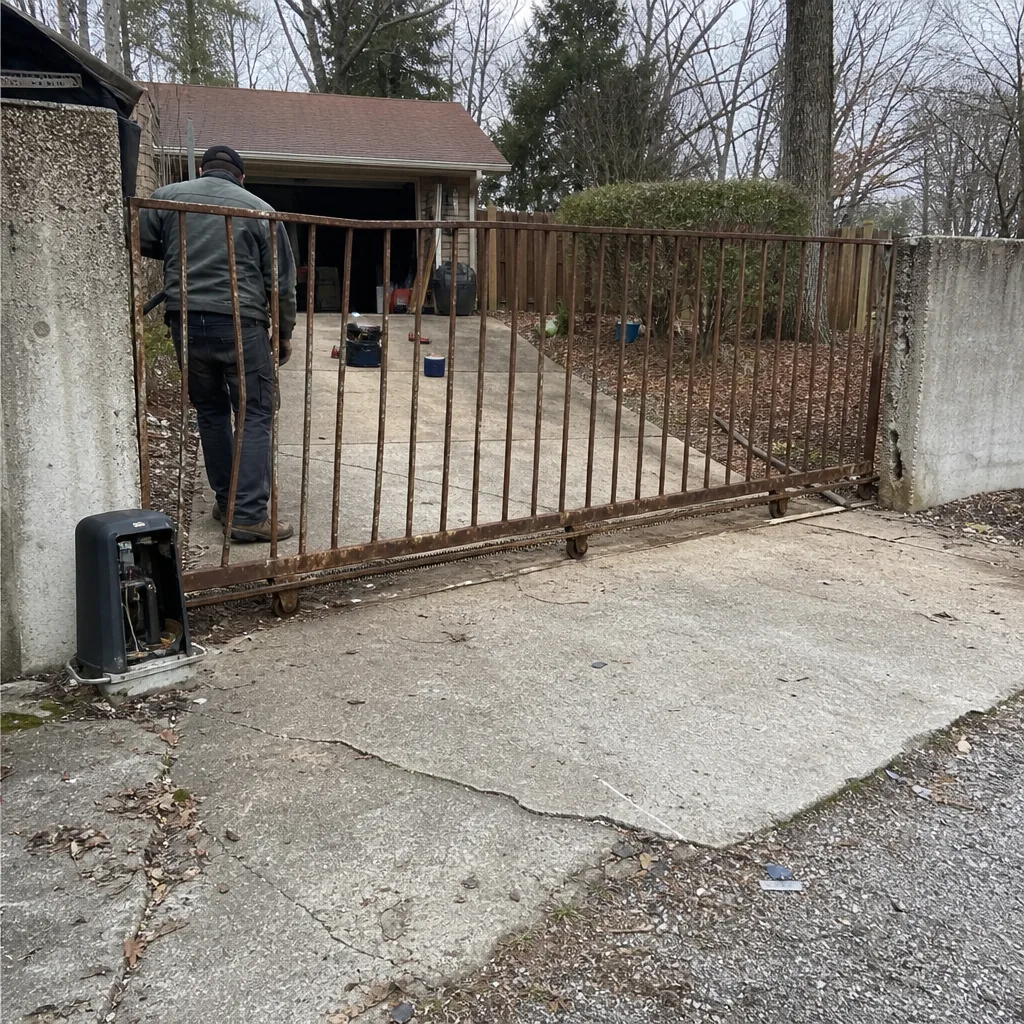 Before
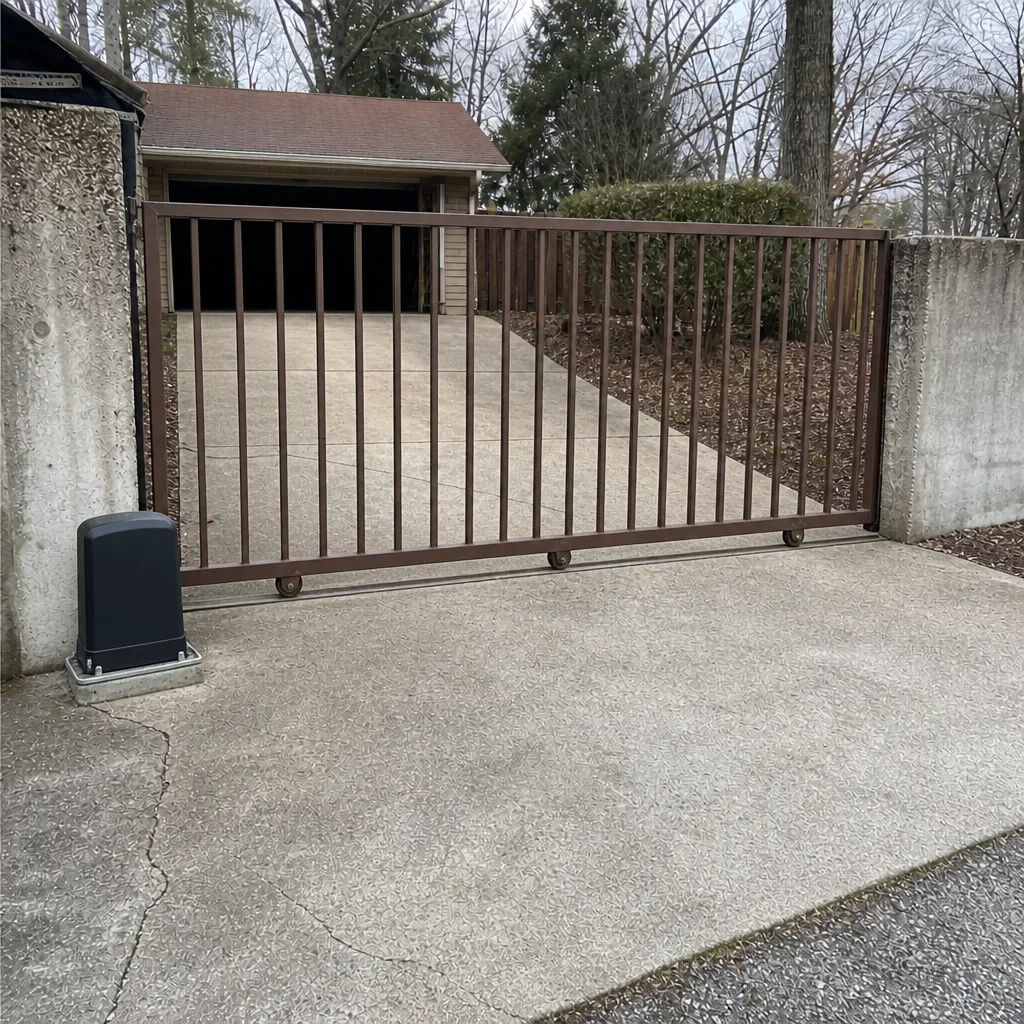 After
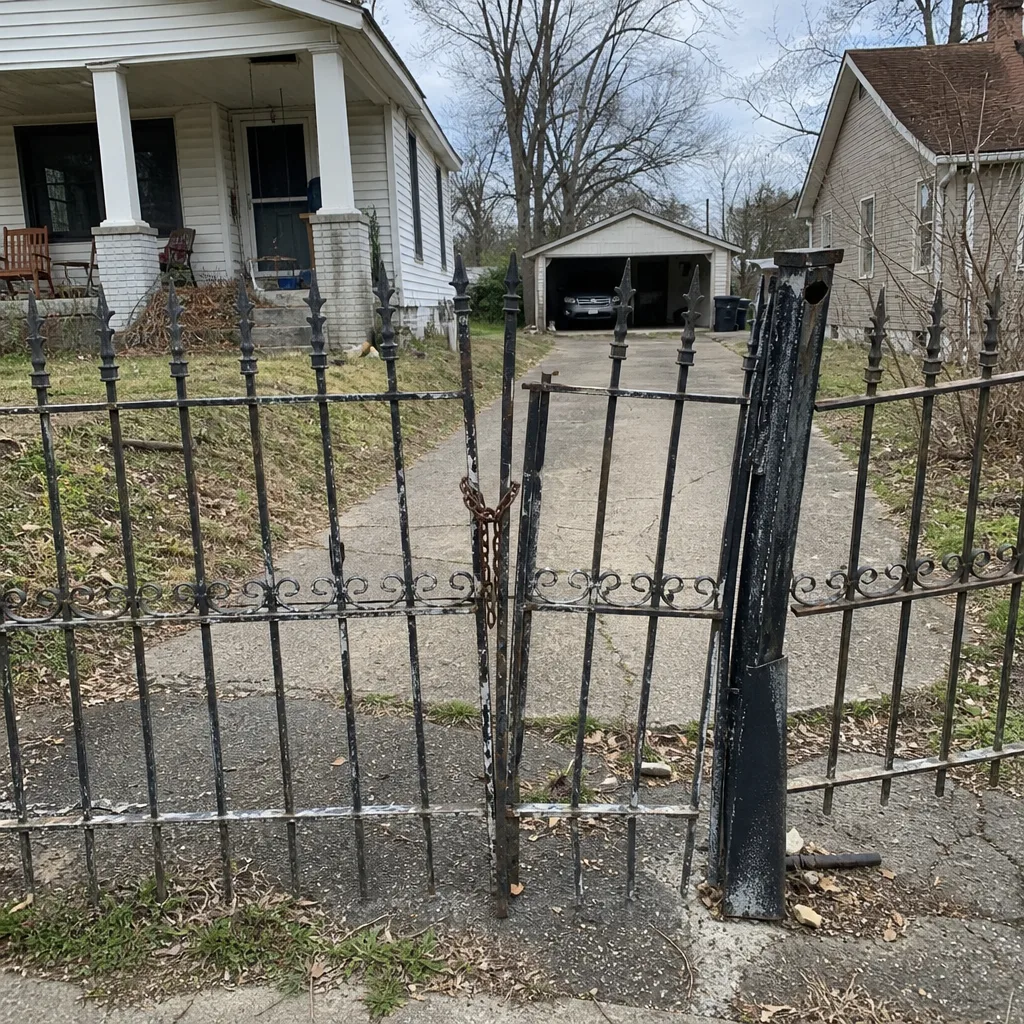 Before
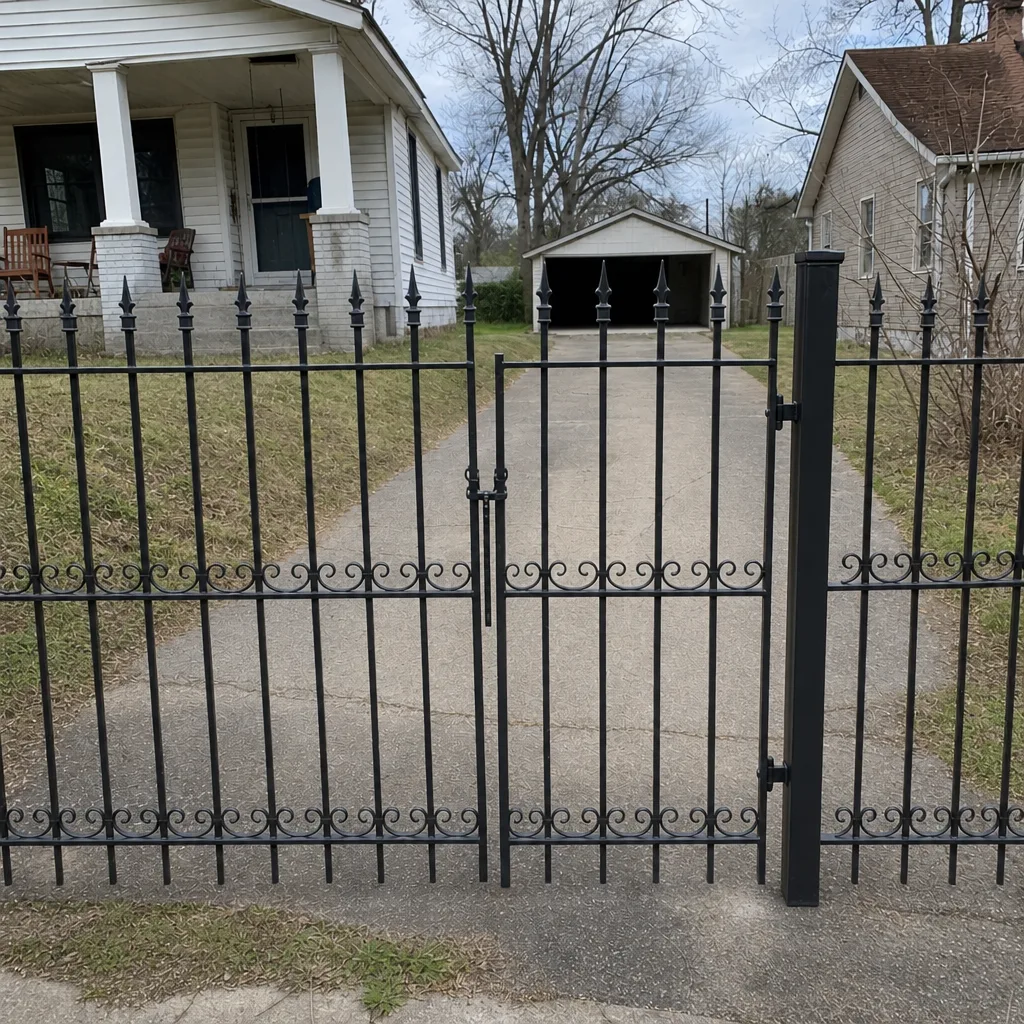 After
When to Call a Professional
Some gate failures are DIY-able. If a power outage knocked the operator offline and the manual release frees the gate, you’re fine until power returns. If a storm blows debris onto the track and you can clear it safely with the power off, that’s fair game too. But several situations call for a trained technician, and forcing them is where homeowners usually regret it.
Call a professional if the manual release won’t engage or feels jammed, if the gate won’t stay in position after release, if you see burn marks or smell overheating near the control board, if the safety reversing feature doesn’t work, if water got into the operator housing or conduit, or if the gate involves a commercial or high-cycle system where the operator is heavier than a residential unit. Gate motors and their wiring carry enough current to damage property and injure people, and a gate leaf that starts moving under manual operation can crush a hand or pin a person against a post. If anything feels unsafe, stop and hand it to someone trained on these systems.
Knoxville Gate Repair is a dedicated gate specialist. We work on nine major brands, from residential systems like Ghost Controls and Mighty Mule through commercial-grade operators from FAAC, BFT, Viking, and DoorKing. Our technicians have up to 14 years of experience, and we can walk you through a manual release, diagnose a post-storm failure, install battery backup, or integrate access control, all from one point of contact. Knoxville Gate Repair offers free estimates in Knoxville – call (844) 625-7626.
Frequently Asked Questions
Use the manual release built into your operator. Switch off power at the breaker, locate the release key or lever for your brand, engage it, and move the gate by hand. On Ghost Controls and Mighty Mule systems the release is on the arm or the top of the operator housing; on DoorKing and Elite commercial systems it’s inside the operator cover. If the release won’t engage, call a technician rather than forcing it. Call (844) 625-7626 for a free estimate on any gate repair or backup installation.
Get it closed or get it guarded, because an open gate is an open property. If the operator won’t run, release the gate to manual and bring it to its closed position, then re-engage the release or chock it securely. Never tie a gate closed with rope or chain. If the gate is on a slope, leave it at its natural resting point, secure that position, and post a warning at the control box. If it won’t stay, call us; Knoxville Gate Repair works on all nine major brands, so we can get the right parts for your system the first time.
No. Battery backup has to match your operator’s voltage, battery chemistry, and control board. Some residential operators, including models from Ghost Controls and Mighty Mule, are designed to accept backup directly. Others need a properly sized external system, and commercial operators from DoorKing and Elite often need a specific setup sized to the gate’s weight and cycle count. Check your operator’s manual or call a technician before buying anything off the shelf. Call (844) 625-7626 to ask what your operator can accept.
It depends on the operator, the battery, the gate’s weight, and how many cycles you open it. Some residential systems run for a moderate number of cycles after power is lost; others only a few. A higher-capacity battery or a properly sized external system extends that. The important number to know is how many cycles you’d need to get through a typical Knoxville storm outage. If you don’t know what your operator can do, that’s a good reason to call and document your system now, before the next outage.
Most post-storm gate failures come from power surges, water intrusion in the control box or conduit, or storm debris on the track or hinges. A surge can damage the control board without blowing the breaker, so the gate looks fine until the next cycle. Water in the low-voltage wiring is a slow failure that can take weeks to surface. If your gate stopped after a storm, run the post-emergency checklist and don’t assume it’s fixed just because it moves again. Call (844) 625-7626 and we’ll send a gate technician to check the operator and wiring.
Call a gate-only technician. Gate motors, control boards, safety reversing circuits, and access control are their own discipline, and a generalist can repair the visible problem while leaving limit settings or safety features wrong. Knoxville Gate Repair does gates and nothing else. Our technicians work on nine major brands including LiftMaster, FAAC, BFT, Linear, Viking, Ghost Controls, DoorKing, Elite, and Mighty Mule, and we handle everything from a broken hinge to a full electric access-control system from one point of contact. Call (844) 625-7626 for a free estimate.
The Bottom Line
Emergency gate repair in Knoxville starts long before the emergency. Know your operator brand and model. Learn the manual release for your system, on a calm day, with the power off. Chock or limit-position your gate rather than tying it. Document the control box location, power source, access control setup, and installer, and keep that note with the manual. Install battery backup if your operator accepts it. Run the post-emergency checklist after every storm, surge, freeze, or impact event, and don’t assume a gate that works again is a gate that’s fine. The goal isn’t to avoid every failure. It’s to make every failure a manageable one, so a stuck gate becomes a call you make when you’re ready, not a scramble in the rain.
When your gate does need hands on it, Knoxville Gate Repair is a dedicated gate specialist and works on nine major brands across residential and commercial systems. From Knoxville Gate Repair diagnosis through to a full gate installation, we keep the whole system in one set of hands with no subcontracting on the electrical or automation side. Call us at (844) 625-7626 for a free estimate, and we’ll walk through your gate together.
Written by the team at Knoxville Gate Repair.