Last updated November 25, 2026
 Wrought iron
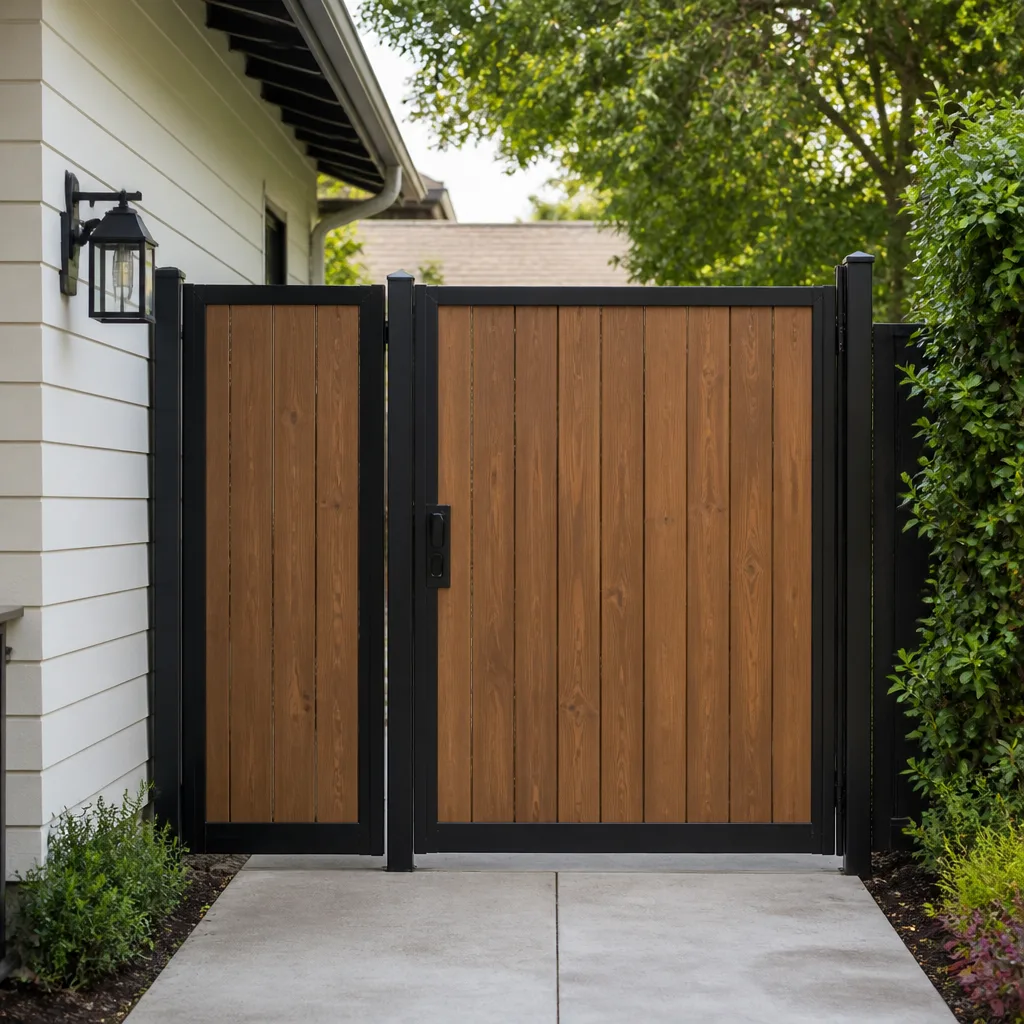 Wood & steel frame
 Farm & ranch
 Sliding driveway gates
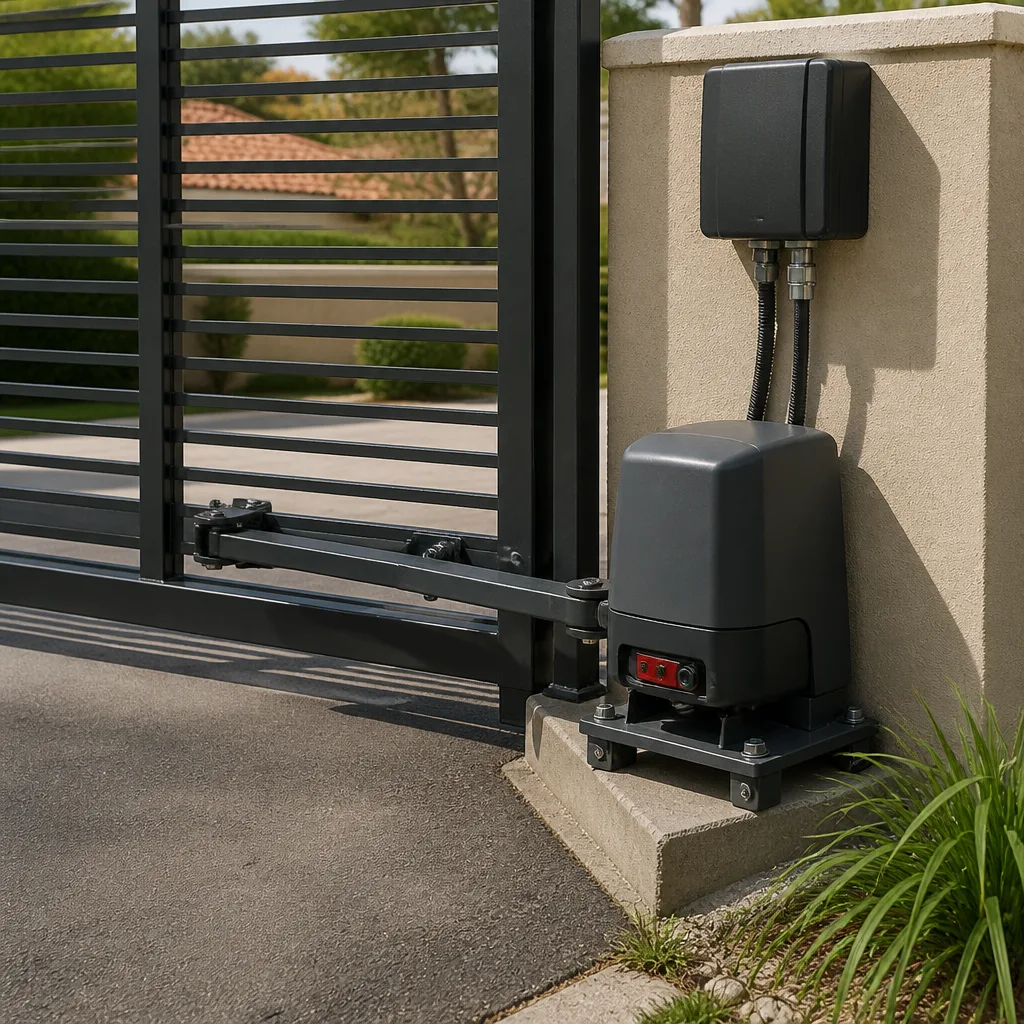 LiftMaster operators
Free on-site gate assessment - hinges, posts, and your LiftMaster or Nice gate operator checked before anything is quoted
The assessment is free and the quote is the invoice.
Get your free estimateGate Repair Warning Signs: A Knoxville Homeowner’s Reference Guide
A gate that reverses direction for no reason isn’t glitching – it’s detecting an obstruction that isn’t visible to you. That reversal is a message from the safety system, and it has a specific diagnostic meaning. Most homeowners read it as a quirk, live with it for a few months, and call only after the operator quits entirely. By then a sensor adjustment has become an operator replacement. We work on gates across Knoxville every week, and the pattern is always the same: the gate told you first. This guide teaches you to read those signals, translate them into causes, and know when to pick up the phone.
Quick Answer
The main warning signs of a failing gate are reversal mid-travel, slowing travel speed, grinding or squealing metal, repeated beeping from the operator, a gate that stops short of fully opening or closing, and a remote that has become unreliable. Each sign points to a specific part: reversal usually means a safety sensor, sluggish speed usually means motor or battery strain, and grinding usually means hardware or track wear. Catching them early keeps a repair small.
Styles & brands we work with
- Wrought iron
- Wood & steel frame
- Farm & ranch
- Sliding driveway gates
- LiftMaster operators
Table of Contents
- Symptom-to-Cause: What Your Gate Is Telling You
- Intermittent Failures: Wiring vs. Sensor
- Post-Storm Gate Inspection Protocol for Knoxville
- How to Isolate the Operator, Control Board, or Access System
- Material-Specific Warning Signs
- Hardware Signs: Hinges, Tracks, and Rollers
- What Gate Repair Costs in Knoxville
- A Simple Monthly Walk-Around
Symptom-to-Cause: What Your Gate Is Telling You
Every behavior on this list maps to a mechanical or electrical cause. The trick is to translate the symptom before you start guessing at parts. Here is the reference table we use in the field, written so you can use it too.
- Reverses in the middle of travel: The safety system believes it has hit an obstruction. Usually a misaligned photo-eye sensor, a dirty lens, or a safety edge that has lost contact. Rarely a control board fault.
- Travels slower than it used to: Motor strain, a weakening battery in solar or battery-backup operators, or binding in the track or hinges. On a Ghost Controls or Mighty Mule residential unit, a sagging battery is the usual suspect.
- Grinding or squealing: Worn metal on metal. Bad rollers, a dry track, a loose hinge pin, or a chain or rack that is out of tension or alignment.
- Beeping from the operator: A diagnostic code. On most brands, rapid beeping means the control board is logging a fault, often a sensor or limit issue. Slow beeping during travel is normal on many models.
- Stops short of full open or close: Limit switches have drifted, or the gate is binding against a physical stop. A gate that “almost” closes is a gate pressing against something.
- Remote works only up close: Weak receiver, dead remote battery, antenna damage, or interference. If the keypad works fine but the remote doesn’t, the problem is in the remote or receiver, not the gate.
- Motor hums, gate doesn’t move: Mechanical binding, a sheared gear, or a failed capacitor. Stop cycling it and call a technician.
Write down which of these you’re seeing and when. A gate that only reverses at dusk points at photo-eye alignment; a gate that only misbehaves after rain points at wiring or a water-logged housing connection. That detail is worth more to a technician than an hour of poking at the gate.
Intermittent Failures: Wiring vs. Sensor
Intermittent problems are the hardest to diagnose because both wiring and sensors fail the same way on the surface: the gate works fine for days, then fails once and behaves again. Homeowners see one problem; technicians see two completely different repairs.
Here’s the split:
- Sensor pattern: The gate fails in the same physical spot, or only when someone or something enters the beam path. It reverses rather than stops dead. Rain, sun angle, or a spider web on the lens changes the behavior.
- Wiring pattern: The gate fails at random positions. It stops dead without reversing. Vibration, temperature swings, or pressing on a conduit or connector changes the behavior. Faults cluster after storms or during the hottest part of a Knoxville summer.
The reason this matters: a sensor problem is usually a clean, quick alignment or replacement. A wiring problem can run from a loose connection at the operator to a nicked underground run under the driveway, and chasing it takes time. If you tell us “it reverses at the same spot every time,” we go straight to the sensor. If you tell us “it just stops, sometimes halfway, sometimes three feet in, sometimes not at all for a week,” we bring meter and wire-tracing tools.
One more check you can do yourself: inspect the exposed low-voltage wire along the gate line and at the operator terminals. Look for nicks, rodent chew marks, corrosion at the connectors, or wire that flexes every time the gate moves. Do not open the operator housing or the control box – the line voltage inside is dangerous. Call a professional for anything inside a panel.
Post-Storm Gate Inspection Protocol for Knoxville
Knoxville’s spring and summer bring severe thunderstorms and the occasional tornado watch, and a gate that survived a storm without visible damage can still be a hazard. Wind load flexes gate frames, trees drop limbs on operators, and standing water pushes into underground conduit. Here is the inspection order we recommend after any significant storm or tornado watch in the area.
- Walk the full travel path. Look for limbs, debris, or shifted soil that the gate will swing into or slide across. Clear the path before you test the gate.
- Check the gate frame for racking. Stand at the free end of a swing gate and look down the edge; a warped or twisted frame binds in hinges and stresses the operator. On a slide gate, look for a post that has shifted or sunk.
- Inspect the operator housing. Look for standing water, dented covers, or branches resting on the unit. Do not open the housing – if water got inside, the electronics need a technician.
- Test the safety devices. Wave your hand through the photo-eye beam and confirm the gate reverses. Press the safety edge, if fitted, and confirm the same. If it doesn’t react, stop using the gate.
- Check the posts and footing. Look for fresh cracking around posts, leaning, or a gate that scrapes because a post has moved.
- Confirm the battery or power. Battery-backed systems lose reserve charge during extended outages. A gate that runs slow after a storm is usually running on a weak battery.
- Watch a full open-and-close cycle. Stand clear, watch it the whole way, and note any hitch, stall, or abnormal noise. Don’t override the safety system to force it through.
If anything on this list feels wrong, don’t cycle the gate again to “see if it does it again.” A binding gate under motor load does more damage each cycle. That’s the point at which a call saves money.
How to Isolate the Operator, Control Board, or Access System
You can narrow down where a problem lives without opening any panel or housing. The trick is to use different input devices and compare the results. Every gate system has three layers: the access device (remote, keypad, or app), the control board (the brain), and the operator (the motor and mechanics). Here’s how to tell them apart.
- Test a second input. Try the keypad or a wall station as well as the remote. If the keypad works and the remote doesn’t, the problem is in the remote or receiver, not the board or operator.
- Listen at the operator. When you press a working input, do you hear a click or relay sound, then nothing? The board is receiving the command but the operator isn’t moving. That points at a motor, capacitor, or mechanical binding.
- Watch the safety devices. If the gate reverses only when something enters the beam path, or only at certain light angles, the problem is the safety system, not the operator.
- Cycle the gate manually. With the operator disengaged per the manufacturer’s instructions (many have a manual release lever), push the gate through its range by hand. If it binds or scrapes, the problem is mechanical: hinges, track, or rollers.
- Watch the diagnostic lights. Many control boards flash an LED code. Note the pattern; we can translate it when you call.
Do not open the operator housing, the control box, or the access-control cabinet. Line voltage and stored capacitor charge inside are genuinely dangerous. A trained technician is the only person who should be inside those enclosures. For anything else, a checklist and a few test presses tell you which call to make.
Material-Specific Warning Signs
A gate’s material determines what fails first. Watching for the material-specific signs keeps you ahead of the failure curve, because a wood gate can fail at a hinge that a steel gate would shrug off.
- Wood gates: Post sag, twisted stiles, swollen boards that bind in wet weather, rot at the post base and hinge plate, and a gate that grows heavier as it takes on water. Wood gates are the most common material to need a new post rather than a new operator.
- Wrought iron gates: Rust at weld joints, bubbling paint around hinges, cracking at joints hidden by paint, and hinges that wear faster because the gate is heavy. Iron gates need a frame inspection, not just hardware checks.
- Aluminum gates: Loose fasteners, dented panels that catch wind, and light frames that flex in wind and put extra load on hinges. An aluminum gate that suddenly swings loosely is usually a hinge or post issue, not an operator issue.
- Vinyl gates: Cracking at joints, sagging mid-rail, posts that flex in wind, and gates that heat-shrink and cause gaps. Vinyl rarely rusts, but the joints and posts are where you’ll find the first signs of trouble.
Whatever the material, cycle the gate by hand once a month with the operator disengaged. You’ll feel drag, binding, and weight changes that the motor hides while it’s still working. That single check catches most problems before a motor strain becomes a motor failure.
Hardware Signs: Hinges, Tracks, and Rollers
Hardware is where most gate failures start. Operators take the blame because they’re the part that makes noise, but the motor is usually trying to move a gate that no longer wants to move. The signs on this list are the ones we find on gate repair calls across Knoxville.
- Hinges: Squeaks, black wear marks, or a gate that hangs slightly lower than it used to. On a swing gate, a hinge pin that’s worn through will let the gate sag and drag.
- Tracks (slide gates): Rust streaks, a lip or bump the rollers have to hop, or a gate that jumps or jerks at one specific spot. A bent track or a worn roller shows up as a rhythmic click.
- Rollers: Flat spots, wobble, or a roller that’s no longer round. A worn roller costs a fraction of an operator, so catching it early pays for itself.
- Chains and racks: Slapping, sagging, or skipping. On chain-driven slide gates, a chain that’s jumped a sprocket will make a grinding sound and eventually stop the gate.
- Posts and footings: Cracking at the base of posts, leaning, or a gate that drags on the ground. Post movement is the highest-risk issue because the gate becomes unstable, not just slow.
- Stop plates and catch posts: Missing, bent, or worn. These tiny parts prevent the gate from over-traveling at speed, and when they fail, the motor and control board take the shock.
If you’re hearing a rhythmic noise at one spot, that’s almost always a hardware problem. If the gate sounds fine but doesn’t move reliably, look at the operator and control board. Those two patterns never get confused once you know what to listen for.
What Gate Repair Costs in Knoxville
Pricing a gate repair without seeing the gate is guesswork, but homeowners want ballpark numbers so they can budget. Here’s how the work typically breaks down. The written estimate sets the final price, and we quote and agree on it before any work starts, so you know what you’re paying before a technician touches the gate.
- Safety sensor alignment or replacement: small enough that most calls land in the hundreds, not thousands.
- Hinge, roller, and hardware replacement: priced per hinge and per roller; a modest hardware job stays affordable.
- Operator motor or capacitor replacement: the most common mid-range repair; brand and operator class determine the price.
- Control board replacement: more than a motor on most systems because boards are brand-specific electronics.
- Post reset or replacement: varies with the gate size and how the post is footed; this is where keeping the gate stable justifies the cost.
- Full operator replacement: the biggest single line item, and the one most often avoided by catching a smaller symptom early.
We carry parts for BFT, Linear, Viking, Ghost Controls, and the other brands we service, so most repairs finish in a single visit instead of waiting on a special order. Because we work on these systems every week, diagnosis doesn’t eat into your budget the way it does with a generalist. Call (844) 625-7626 for a free estimate so we can quote your specific gate.
A Simple Monthly Walk-Around
Five minutes a month is all a gate needs to stay ahead of most repair bills. Here’s the routine we recommend to homeowners and property managers in Knoxville.
- Walk the full path. Check for debris, fallen limbs, or anything the gate will hit before testing.
- Look at the hinges, rollers, and track. Note squeaks, rust streaks, wobble, and drag marks; compare them with last month.
- Test the safety devices. Break the photo-eye beam and press the safety edge, confirming the gate reverses both times.
- Cycle the gate manually. Disengage the operator per the manufacturer’s instructions and push it through its full range; feel for binding.
- Run one powered open-and-close cycle. Watch the whole cycle; listen for new noises; note any hitch or stall.
- Check the battery or power. Look for a maintenance light on the control panel and note the operator’s diagnostic code.
- Look at the posts. Check for cracking, leaning, or a post base that has shifted since last month.
Log what you see and the date. When you notice a symptom, you’ll know how long it’s been there, which helps a technician translate it faster.
Common Mistakes to Avoid
- Ignoring a mid-cycle reversal. A gate that reverses is telling you a safety sensor is misaligned or blocked. Living with it means the operator keeps running into the fault, and eventually the motor wears through.
- Overriding the safety devices to “just make it work.” Bypassing the safety edge or photo-eye on a motorized gate creates a real crush hazard. Never disable a safety device to force a gate to close.
- Greasing everything. The wrong lubricant attracts grit and accelerates wear on tracks and hinges. Ask what the manufacturer recommends for your gate, or leave lubrication to a technician during a repair.
- Treating a heavy gate like an operator problem. If the gate drags, the motor is a symptom, not the cause. Replacing the operator while the underlying hinge or post issue remains is the fastest way to burn through a new motor.
- Skipping the post inspection. A leaning post on a Knoxville gate is a stability issue, not a cosmetic one. Ignoring it leads to a gate that comes off its track or ground.
- Calling a general handyman. Gates combine mechanics, low-voltage controls, and line voltage at the operator. A specialist who works on gates daily finds the cause faster than a generalist who doesn’t.
- Refusing to call after a storm without checking the safety devices. Storm debris can jam the beam and hide behind a gate post. Check the beam and safety edge before cycling the gate at full speed.
See the difference
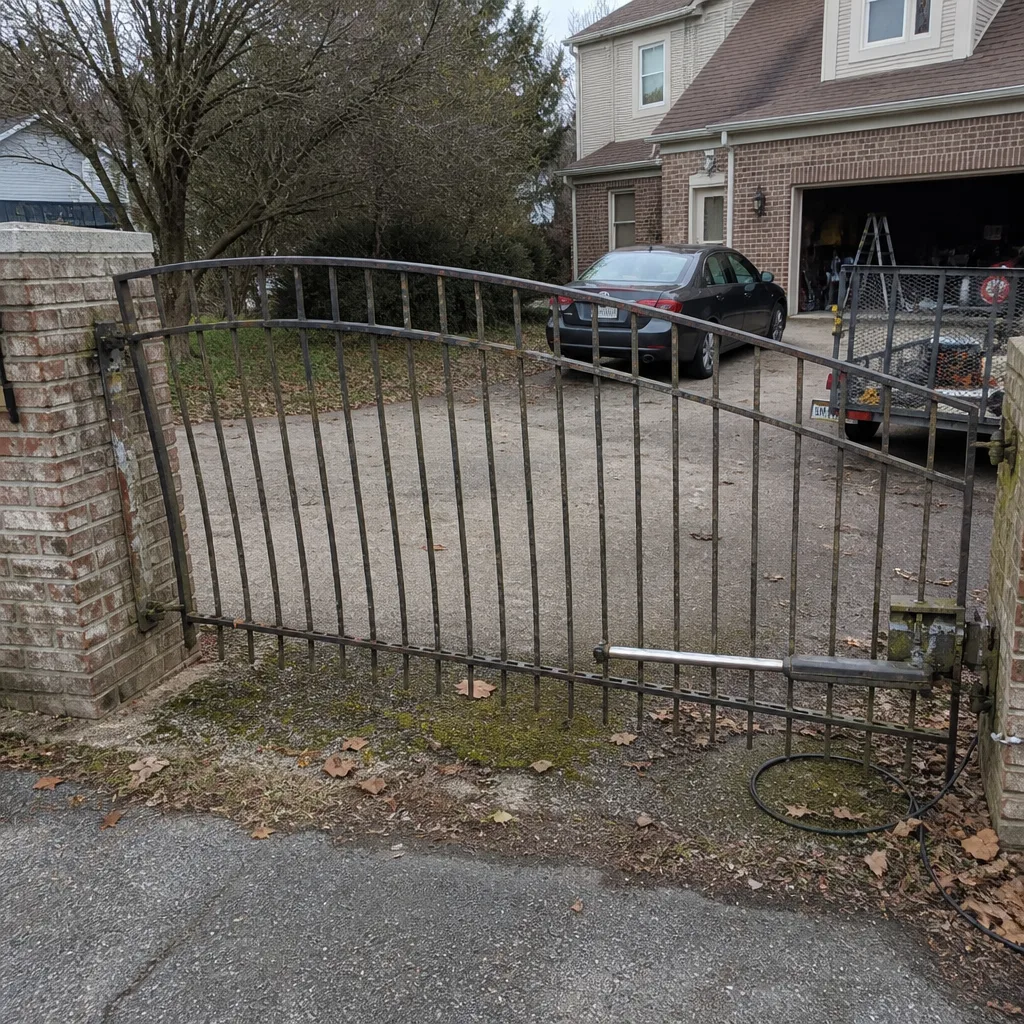 Before
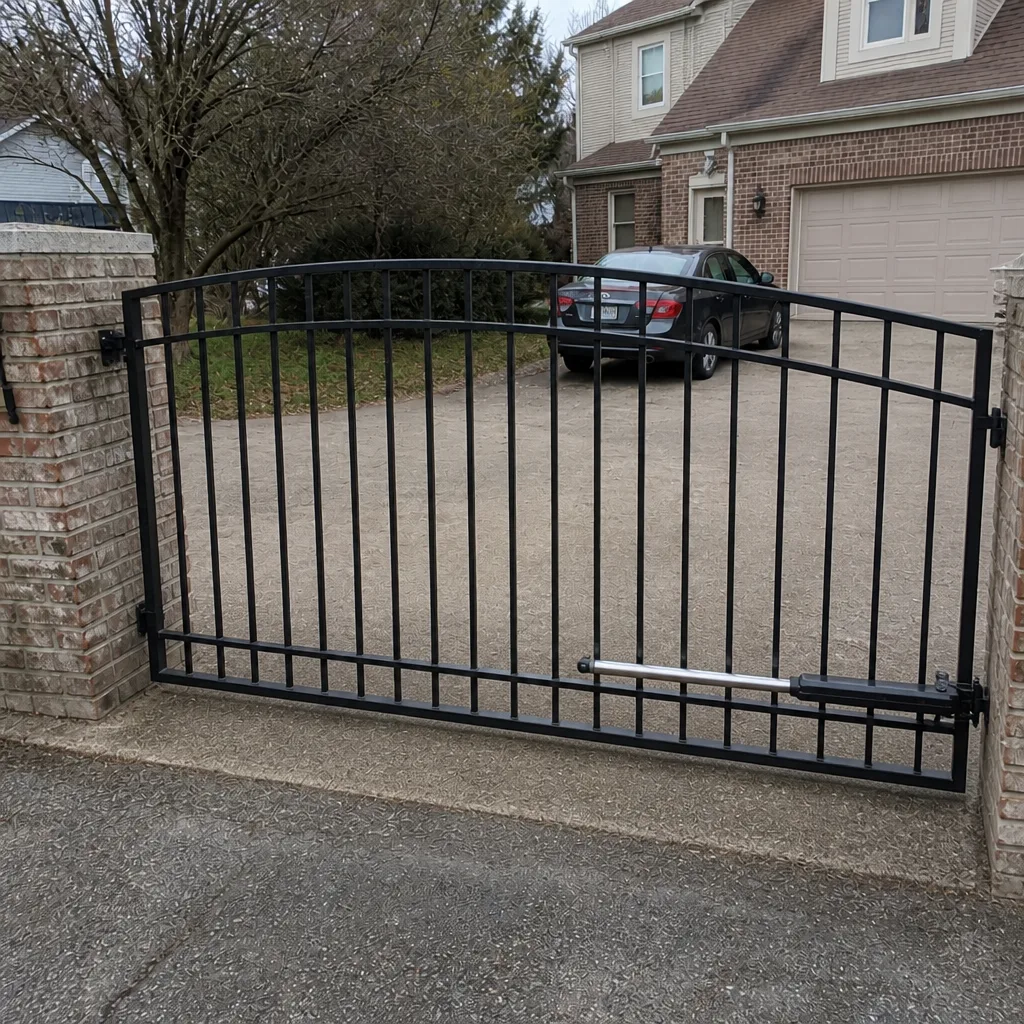 After
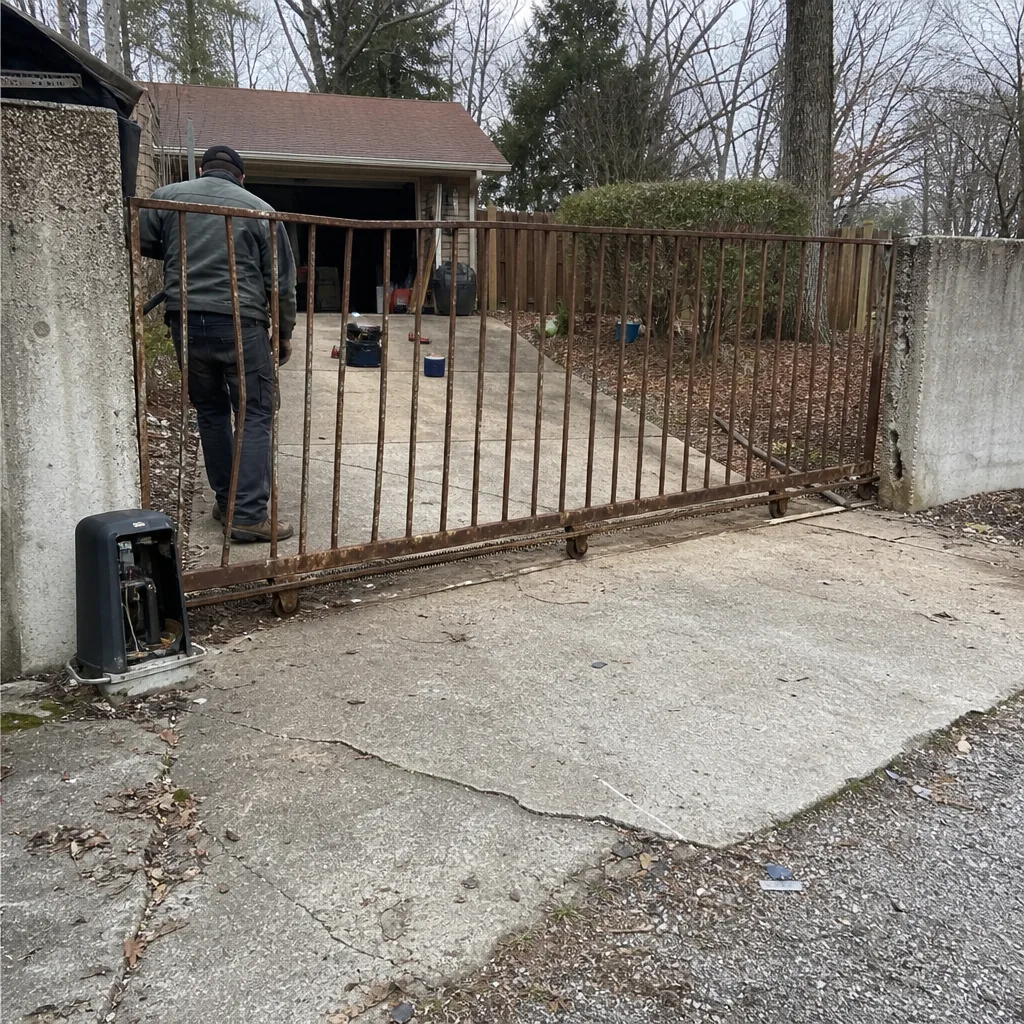 Before
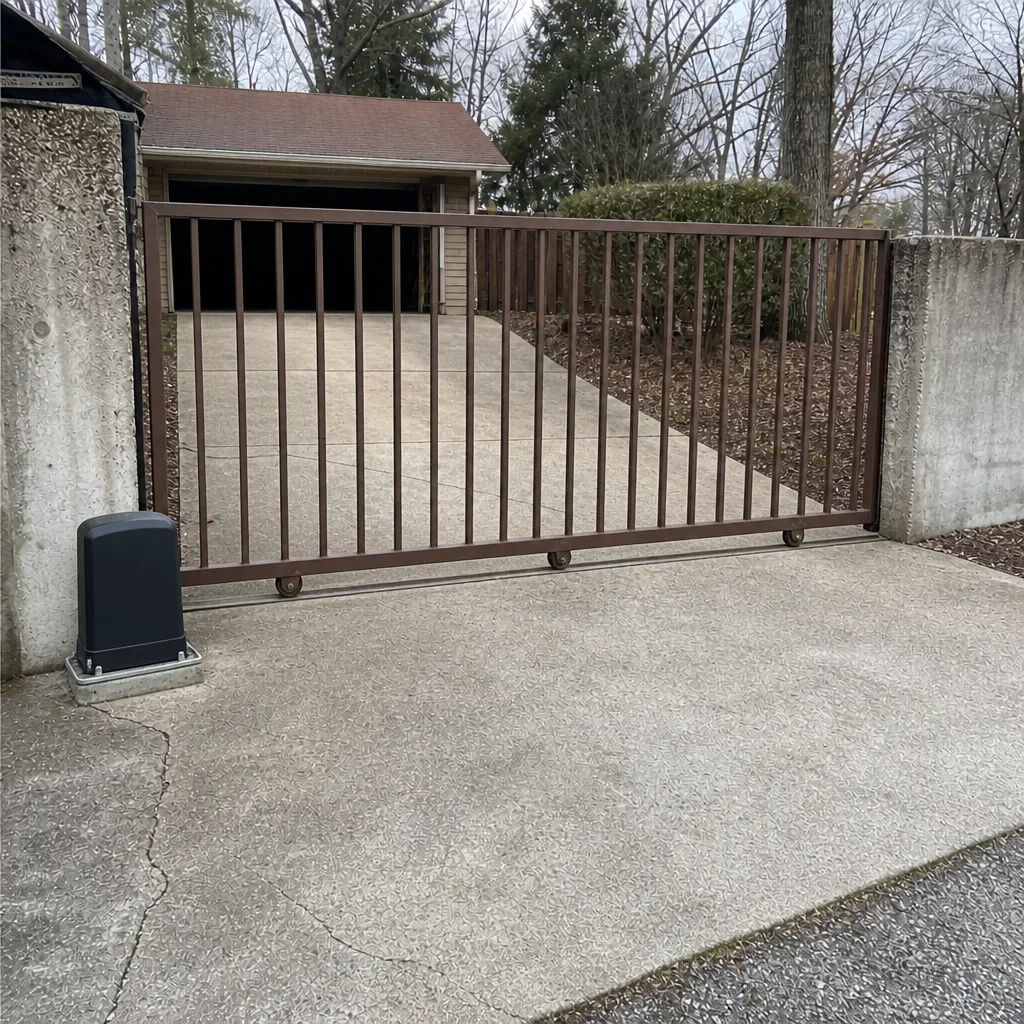 After
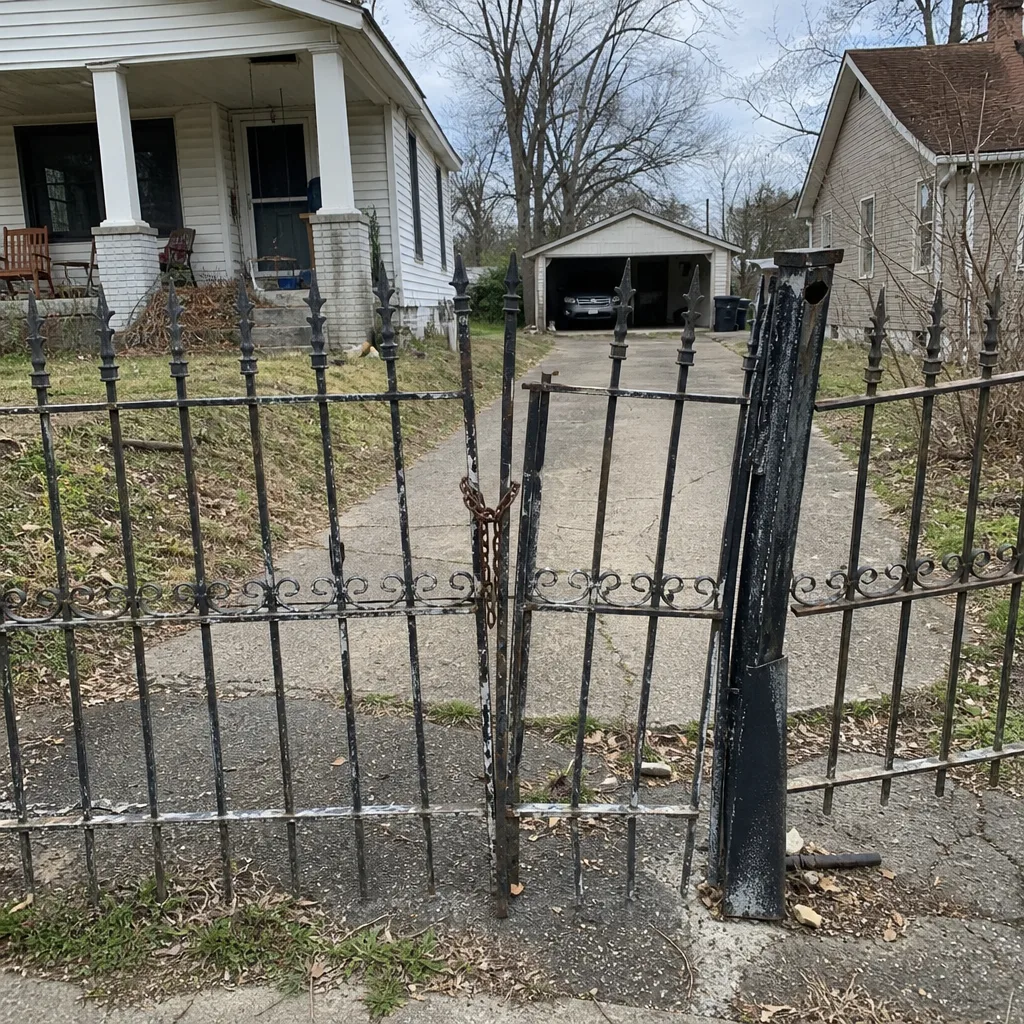 Before
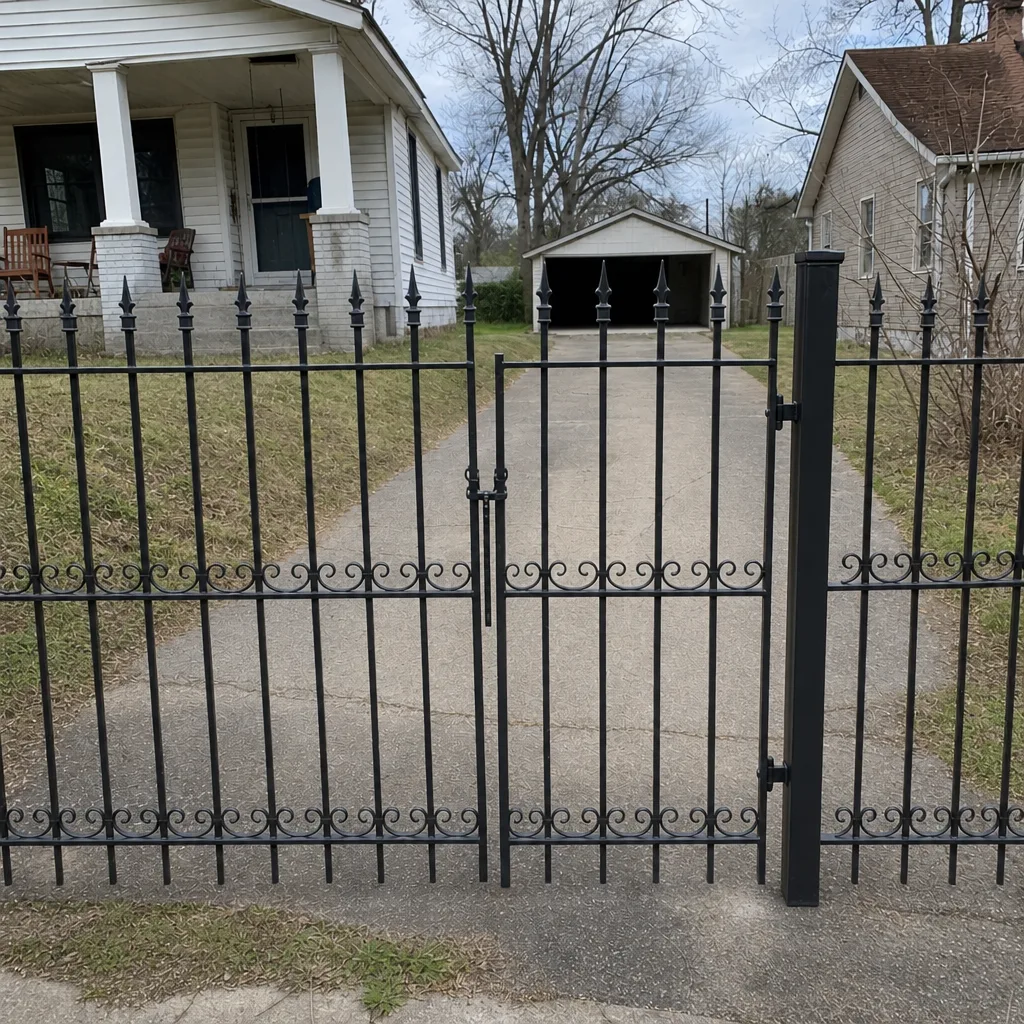 After
When to Call a Professional
Call a professional when the gate reverses mid-cycle, when the operator hums but the gate doesn’t move, when you see sparks, smoke, or a burning smell, or when the gate has become unstable on its post. Also call if a safety device won’t test, if the gate has been through a storm and there’s any question about the posts, or if a fault continues after a simple sensor alignment. These are symptoms that can lead to a safety failure, and they’re not worth diagnosing alone. Anything inside an operator housing or access-control cabinet is off-limits to homeowners: the line voltage and stored capacitor charge can be genuinely dangerous, and only a trained professional should open those enclosures. Knoxville Gate Repair offers free estimates in Knoxville – call (844) 625-7626. For a broader overview of what we handle, start with Knoxville Gate Repair.
Frequently Asked Questions
The earliest signs are slowing travel, a mid-cycle reversal, and new noises (grinding, squealing, or rhythmic clicking). Any one of these points to a specific cause and should prompt a check before a smaller repair becomes an operator replacement.
A gate that reverses mid-travel is the safety system detecting an obstruction, usually a misaligned or dirty photo-eye sensor or a safety edge that has lost contact. It rarely means the motor is failing. Test the beam and safety edge first, and if the reversal continues, call us.
It depends on the repair, but most calls fall into a handful of categories: sensor alignment, hardware replacement, motor or capacitor replacement, control board replacement, and post work. We quote and agree on the price before any work starts, so the written estimate sets the final cost. Call (844) 625-7626 for an exact quote – estimates are free.
For repair calls, we aim for same-day service when the schedule allows, so call early in the day to get on the list. Installation and full replacement work is measured, ordered, and scheduled, so it involves a free measure and written price rather than same-day arrival.
Rain-triggered failures point to a wiring or connection issue, not a sensor misalignment. Water gets into a conduit, a connector, or a housing and changes the fault pattern. The fix is a meter and a technician’s eyes on the wiring, not a new sensor.
If the control board flashes a code or clicks when you press a working input but the gate doesn’t move, the operator (motor, capacitor, or mechanical binding) is usually the fault. If the inputs behave inconsistently, the access device or receiver is more likely the cause. A technician can isolate it in minutes with a meter. For replacements and other work, see gate repair and gate motor & opener.
The Bottom Line
Every gate you own is talking to you. Mid-cycle reversal, slowing speed, grinding or squealing, unexpected beeping, a remote that stops working from a distance: each one maps to a specific part and a specific repair, and each is cheaper to fix now than after the operator dies. The material tells you what to watch: wood posts for rot and sag, iron hinges for rust and crack, aluminum for loose fasteners, vinyl for joint failure. Storm-season checks in Knoxville belong on the calendar. Learn the signals, run the monthly walk-around, and call a dedicated gate specialist when a sign shows up. Call (844) 625-7626 for a free estimate, and let’s read what your gate is telling you.
Written by the team at Knoxville Gate Repair.